Does PR Marmot change anything on GitHub?
No. It reads GitHub data, opens links, and copies information. Reviewing, commenting, and merging stay on GitHub. Watches, snoozes, and preferences are stored locally. The app never changes anything, but a sign-in can still carry write scopes, so for least privilege use a fine-grained token with read-only Pull requests and Metadata.
Do I need another account or token?
No PR Marmot account, and no server of ours in between. Sign in to GitHub from the app with a one-time code, paste a personal access token, or let PR Marmot pick up the GitHub CLI login you already have. The token it keeps stays on that machine, in the login keychain on macOS.
Does my organization need to approve a GitHub App?
PR Marmot registers no GitHub App. Signing in with GitHub authorizes PR Marmot’s own OAuth app for repo and read:org, and GitHub offers that request during sign-in.
An organization that turns on OAuth app access restrictions hides its private repositories from that sign-in until an owner approves PR Marmot. Two ways in need no approval: the GitHub CLI login, which PR Marmot picks up on its own and which GitHub treats as a privileged OAuth app, or a classic personal access token with repo and read:org. An organization that enforces SAML single sign-on also needs your token authorized for that organization, as every tool does. PR Marmot changes none of your organization’s rules: what your token can see, it sees.
How do I see every pull request waiting on my review, across all repositories?
GitHub does this for free. Open github.com/pulls, whose inbox surfaces the reviews requested from you, or run gh search prs --review-requested=@me --state=open in a terminal.
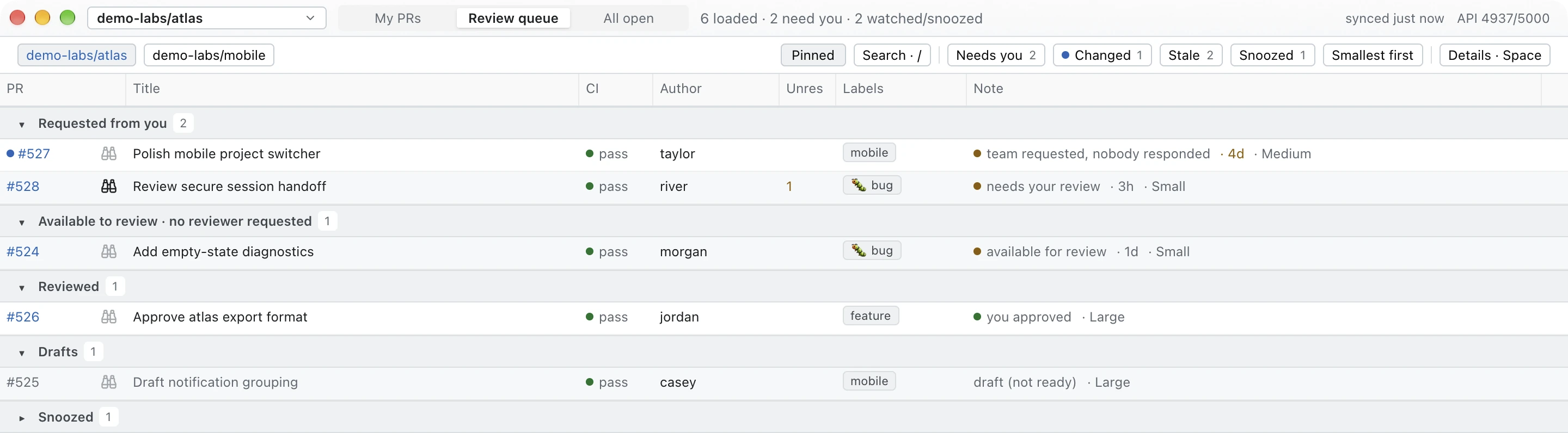
PR Marmot puts the same work in a native window that stays open, separates reviews requested from you from work available to review, and adds a plain-language Note to each row. The comparison with GitHub’s dashboard covers where each one wins.
How do I get GitHub pull request notifications on my Mac?
GitHub can email you or fill github.com/notifications, and a dedicated menu-bar app such as Gitify covers every notification type GitHub sends. PR Marmot notifies you about the pull requests you watch with w, while it is running.
The roundup of Mac apps for GitHub pull requests covers the alternatives honestly, including the ones that do this better.
Will it notify me while the app is closed?
PR Marmot notifies you only while it is running, and only if your operating system allows its notifications. There’s no background helper. The PR Marmot reference explains how to allow its notifications on macOS and Linux.
PR Marmot Cloud, a watcher that would keep going while your laptop is closed and notify your iPad, is on the roadmap but not built. It would come after the iPad app, and demand decides whether it is built at all. To count yourself in, react with 👍 or leave a comment on the waitlist Discussion.
Is there an iPad app?
Not yet. Today PR Marmot is a desktop app, with signed builds for Apple-silicon Macs and a source build for Linux and Intel Macs. The iPad companion is in development as a separate App Store app: free for seven days, then bought once in the app, with no subscription. Its first release is iPad only. TestFlight invitations go to the waitlist thread first, and there is no date. To count yourself in, react with 👍 or leave a comment on the waitlist Discussion on GitHub.
Doesn’t GitHub already show me this?
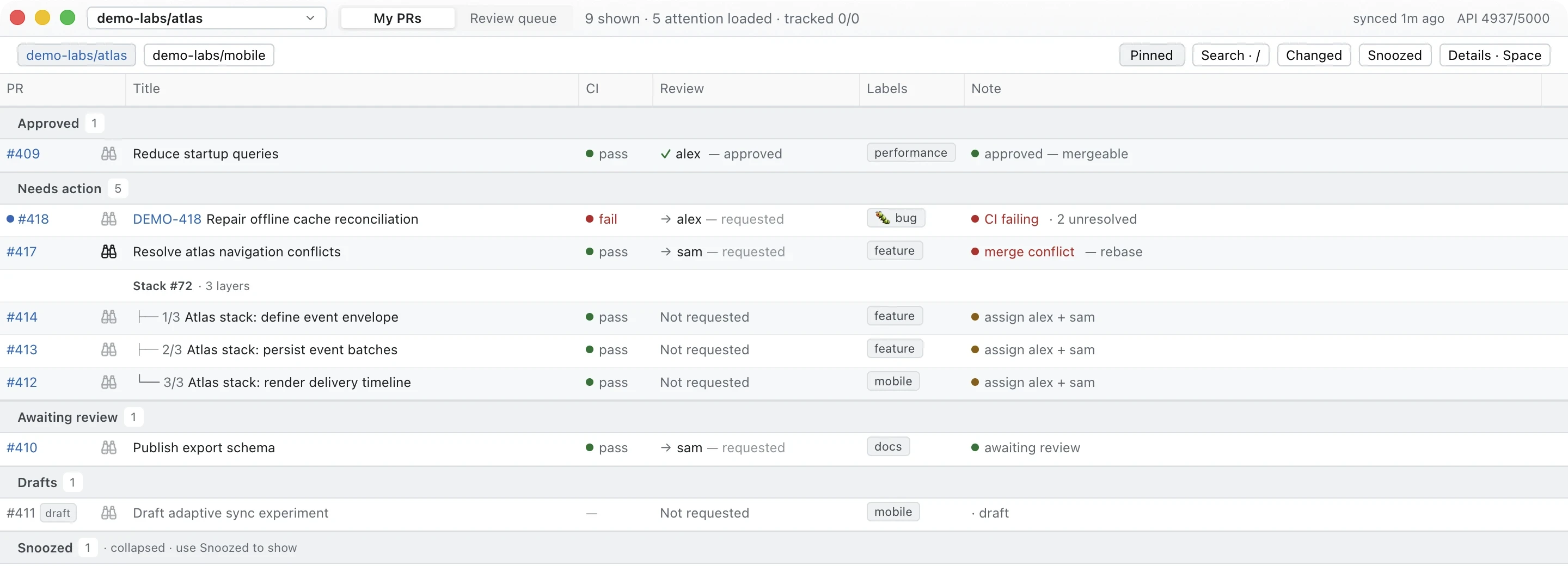
GitHub’s notifications and feed tell you that something happened: a review arrived, a check finished, someone commented. PR Marmot tells you where each pull request stands now, in one line: for example, approved but blocked by failing CI and two unresolved comments. That Note stays until the fact changes, so there is nothing to scroll back through, and a marker shows what moved since you last looked. With five open pull requests you may not need it. With forty, you probably do.
Why not just GitHub notifications?
GitHub’s inbox is good at following conversations, with filters, saved notifications and read or done states. PR Marmot gives you a different view: pull requests grouped by their state, with CI, reviews and a plain-language Note together. Use it to decide which one to open, and keep using GitHub for the conversation and the review itself.
I use Claude Code or Codex. How does this help?
Use PR Marmot to follow the pull requests you and your agents work on. Its terminal CLI prints the same board as versioned JSON, and watch can follow one pull request until a condition is met or a timeout expires. prmarmot-cli skill install gives your coding tool the command instructions. PR Marmot runs no AI reviewer and changes nothing on GitHub.
Is it free?
The desktop app and the terminal CLI are free and open source under the MIT licence, and you can use them today. The iPad companion is in development as a separate App Store app: free for seven days, then bought once in the app, with no subscription. Its first release is iPad only.
Can I install it with Homebrew?
Yes, on Apple-silicon Macs: brew install --cask oliver-kriska/tap/prmarmot. The app is signed and notarized. Linux and Intel Mac users can follow the source-build guide.
Does it load every pull request?
Results are bounded, and the app tells you when there’s more to load. Search and filters work on loaded data. The exact limits and refresh timing are in the PR Marmot reference.
 PR Marmot