 PR Marmot
GitHub pull request dashboard
PR Marmot
for iPad.
See CI, reviews and what changed since you looked. Open the pull request on GitHub when it is time to act.
Free for 7 days, then one purchase. No subscription. No automatic charge.

iPadOS 17.2 or later. No Mac required.
See how it works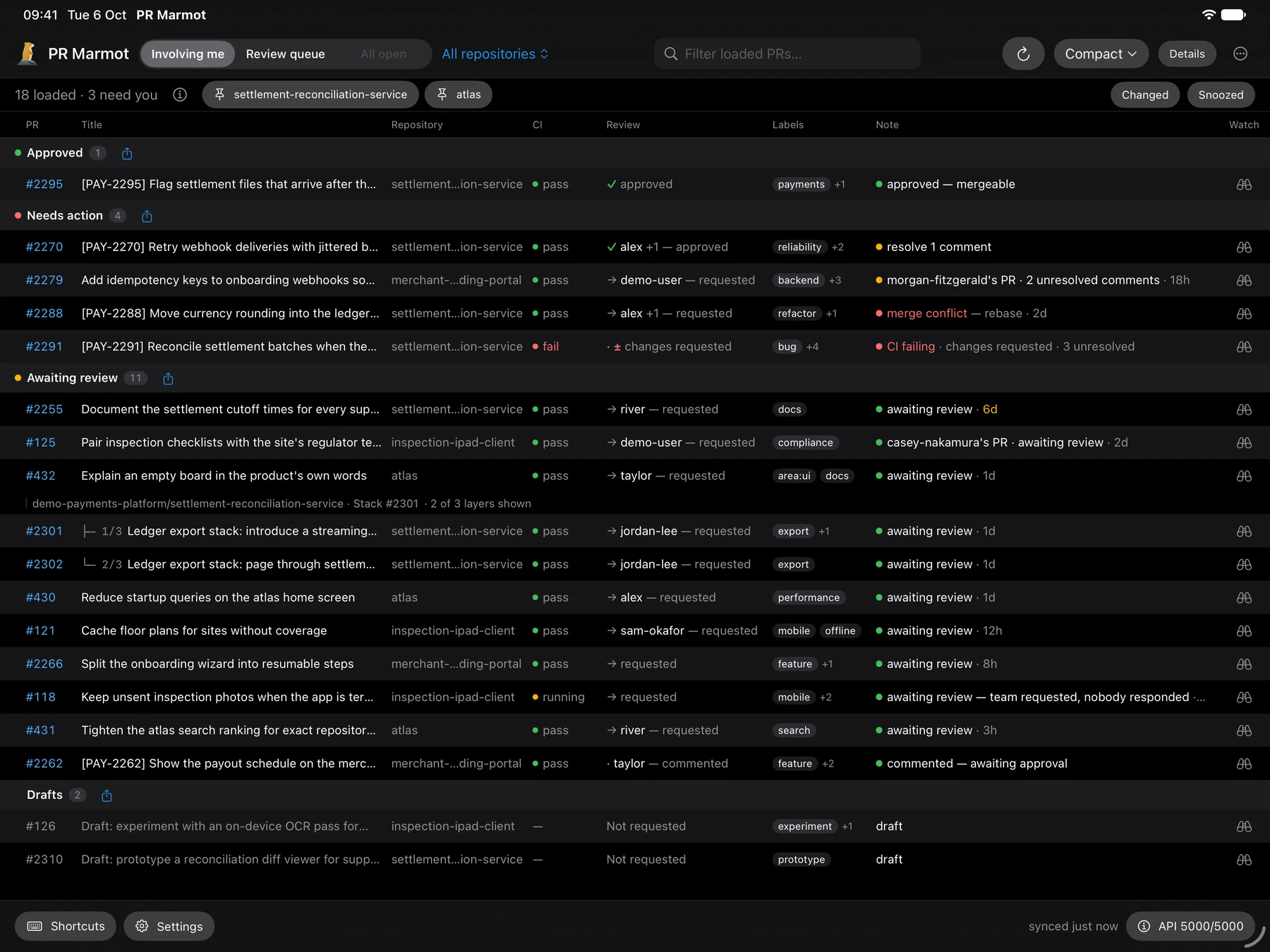
Approved is only part of the story.
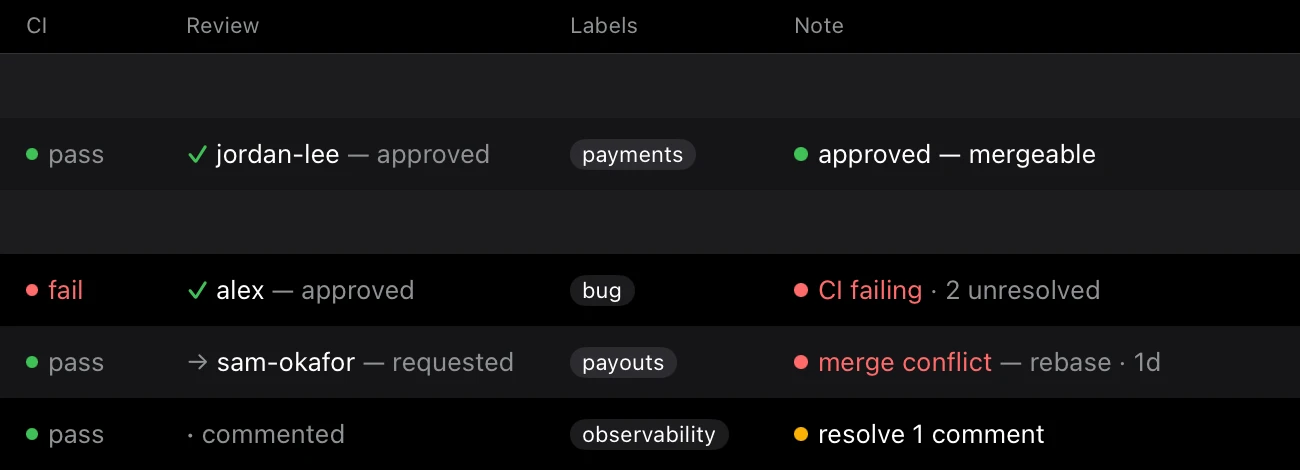
A review can be approved while CI is failing. The Note puts checks, reviews, conflicts and unresolved comments together, so you can see why a pull request still needs attention.
Switch between Involving me, Review queue and All open in a repository. PR Marmot is a dashboard: it does not display diffs, submit reviews, comment or merge. Those actions stay on GitHub.
Pick up where you left off.
Changed since you looked marks the pull requests that moved. Watch the ones that matter and snooze what can wait. Your watches and snoozes stay on this iPad; they do not sync with your Mac or another iPad.
The app refreshes while you use it, not in the background. Open it to fetch the latest state.
A glance from your Home Screen.
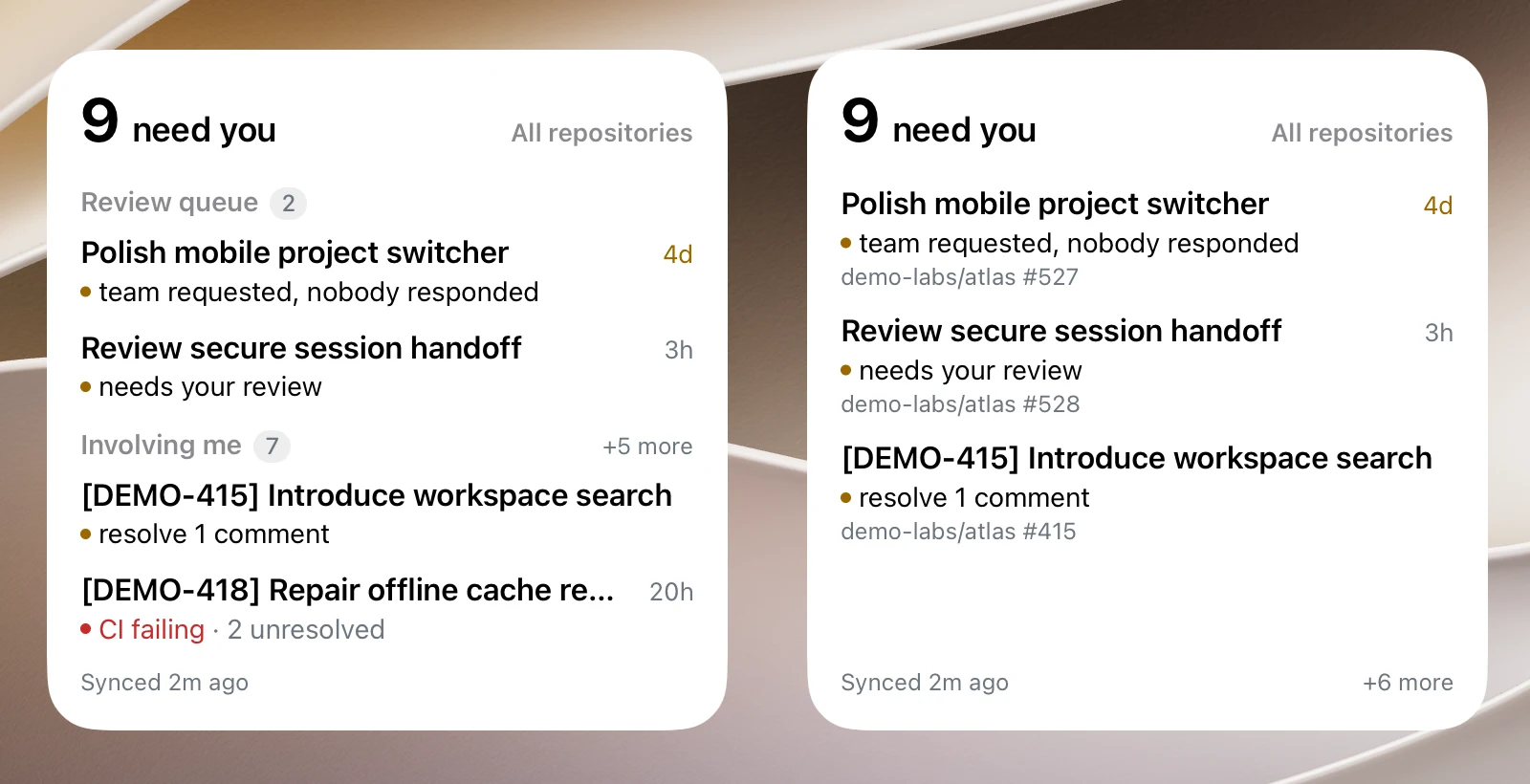
Put a board or a Needs you widget on your Home Screen. Tap through to the app when a pull request catches your eye.
Widgets show the last data the app synced, including its sync time. They never fetch on their own. “Synced 2m ago” means exactly that, not live background monitoring.
Room for the rest of your work.
Use the board full screen, in Split View or in Stage Manager on supported iPads. In narrow windows, rows become a list rather than squeezing every column into unreadable text.
A hardware keyboard gives you shortcuts for navigating and opening pull requests. Touch works on its own. iPadOS 17.2 or later. No Mac required. The app is iPad only, not an iPhone app.
Your iPad talks to your GitHub.
Sign in with GitHub using a one-time code, or paste a personal access token. GitHub Enterprise Server uses a token. Your credential stays in the iPad’s Keychain, and requests go straight to your GitHub host. There is no PR Marmot account or server in between.
The app has no analytics or tracking of its own. Apple handles the trial and purchase. The privacy policy explains local storage, Apple’s aggregate reports and this website’s separate analytics.
Seven days with your own queue.
Free for 7 days, then one purchase. No subscription. No automatic charge. Download the app, sign in, then choose Start 7-day trial. Apple confirms the trial. When it ends, nothing is billed: the board locks until you choose to buy. The App Store shows the price for your country.
One purchase works on iPads using the same Apple Account. Restore purchases is in Settings → Purchase and on the purchase screen. Trial, purchase and sign-in help.
The desktop app and shared core are free and MIT-licensed. The iPad interface is a separate, closed-source app.
Get PR Marmot on the App Store →